Creating Your First Strategy
TradingView's strategy scripts offer more features compared to indicator scripts. With these scripts, you can:
Backtestyour trading strategy using historical dataSimulate live tradingby adjusting capital, quantity to buy, commission per trade, and moreSee a detailed reportof your backtests, including data such as net profit, gross profit, max run-up, max drawdown, and more
Let's quickly start building our first TradingView Strategy using the Script Builder.
Building Your First TradingView Strategy
We'll begin by creating a strategy script. Before we start, we should define our trading rules for entering and exiting trades.
Writing the Trading Rules
In this strategy, we'll use two EMA indicators. For the signals, we'll use Buy and Sell. We enter a buy position when the fast EMA crosses above the slow EMA. Conversely, we sell our position when the fast EMA (20) crosses below the slow EMA (50).
Here's a bulleted list for easier understanding:
Buy when:
Fast EMAcrosses above theSlow EMA
Sell when:
Fast EMAcrosses below theSlow EMA
Now that our rules are set, it's time to build our script.
Building the Strategy
Return to the Script Builder. The first step is to click on Script Properties.
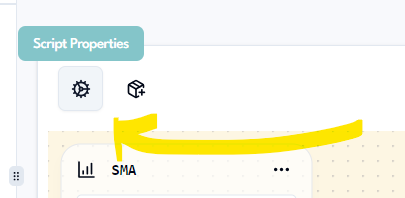
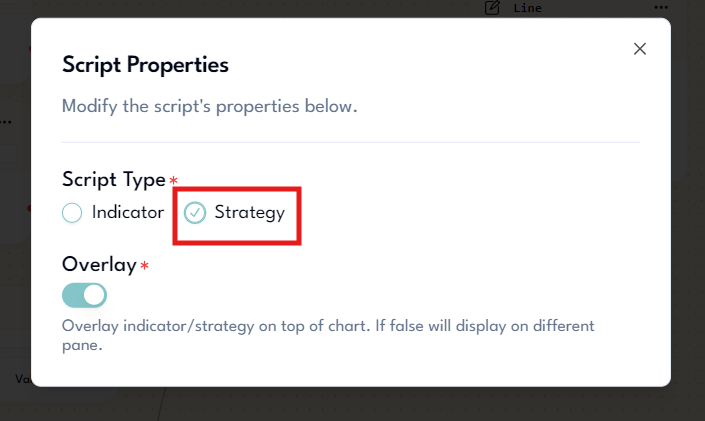
This will open a modal where you can edit the properties of the script. Change the script type from Indicator to Strategy.
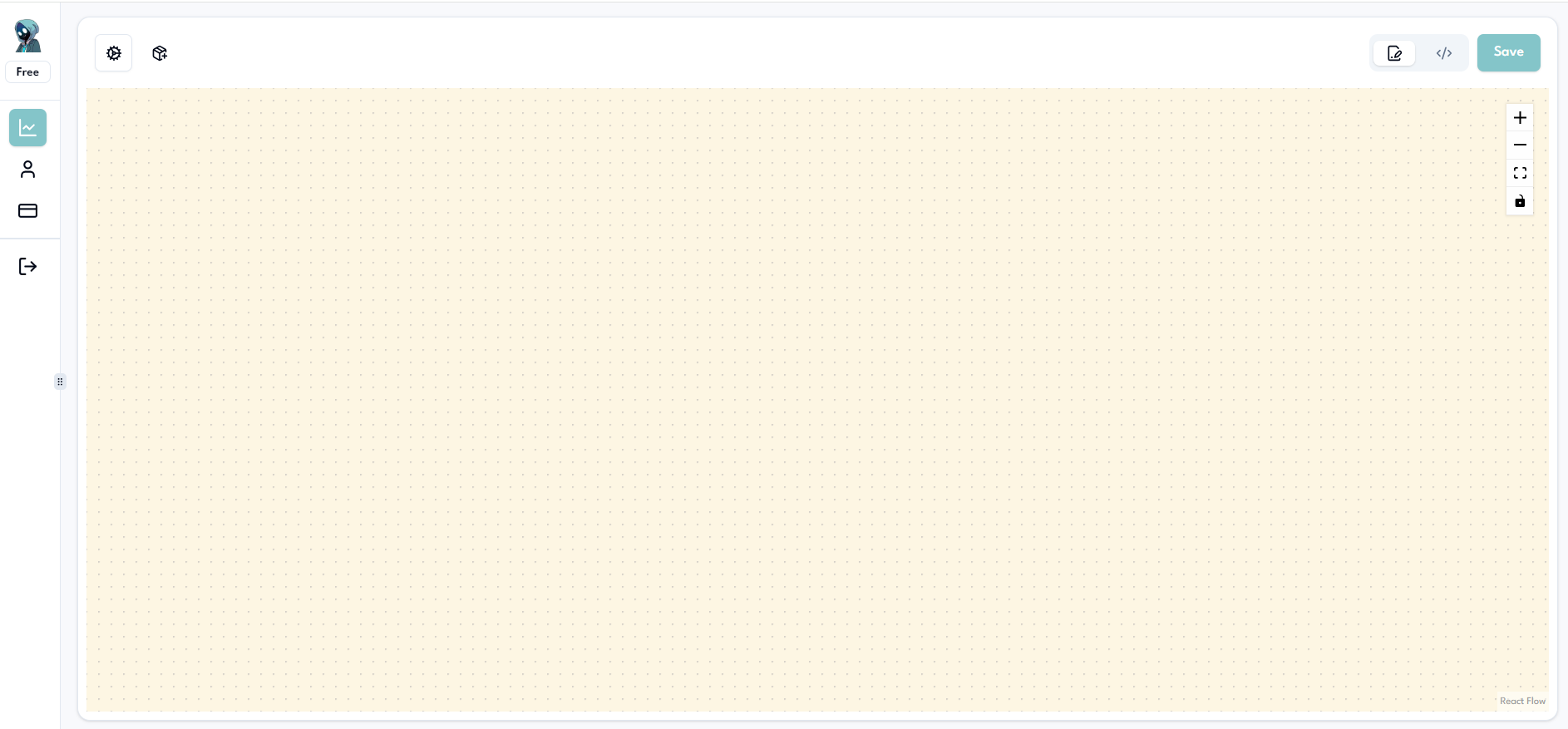
Next, clean up your working area by deleting all nodes.
With a clean working area, let's add the nodes we need. Start by adding two EMA nodes to the chart.
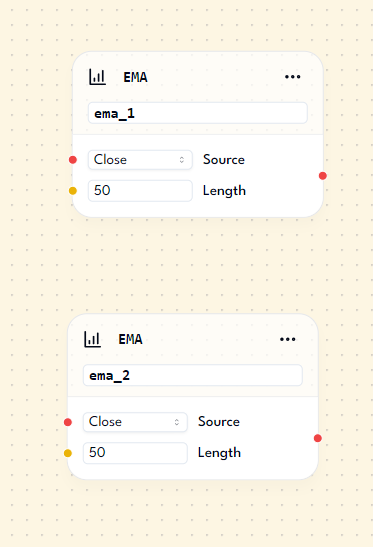
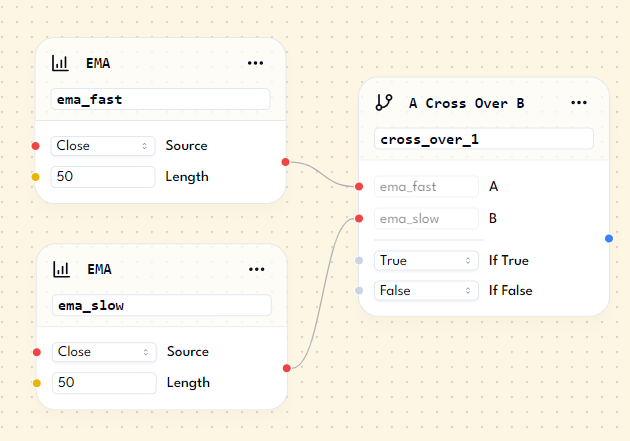
Now, let's implement the first trading rule: Buy when: Fast EMA crosses above the Slow EMA. Rename the node aliases: change ema_1 to ema_fast and ema_2 to ema_slow. Add a Cross Over Node, and attach ema_fast to the A property and ema_slow to the B property of the Cross Over node. It should look like this:
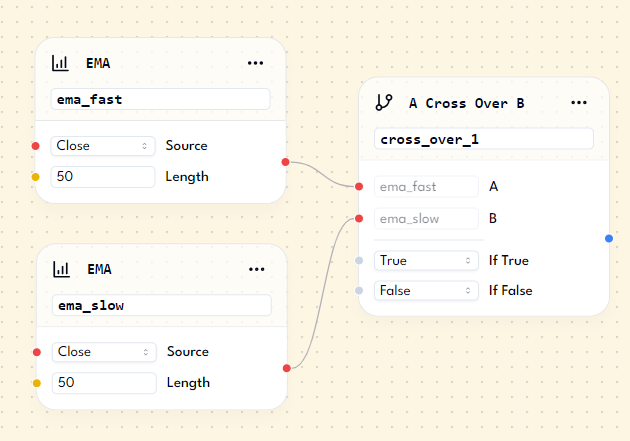
With the Cross Over node in place, add a Buy Signal Node. It should look like this:
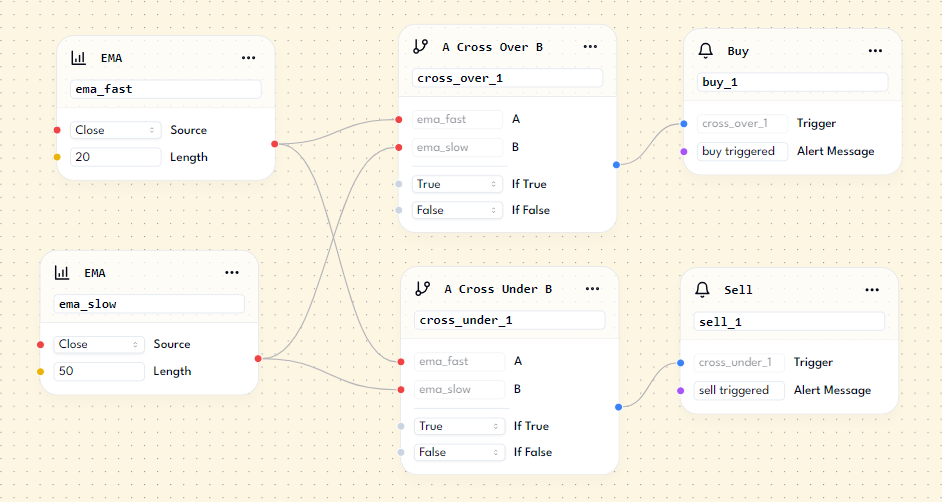
Repeat the process for the next rule: Sell when: Fast EMA crosses below the Slow EMA. Add two more nodes: Cross Under Node and Sell Signal Node. Connect these nodes as you did with the Buy Signal Node. Additionally, adjust the lengths of the EMA nodes: set the Fast EMA to 20 and the Slow EMA to 50. The setup should look like this:
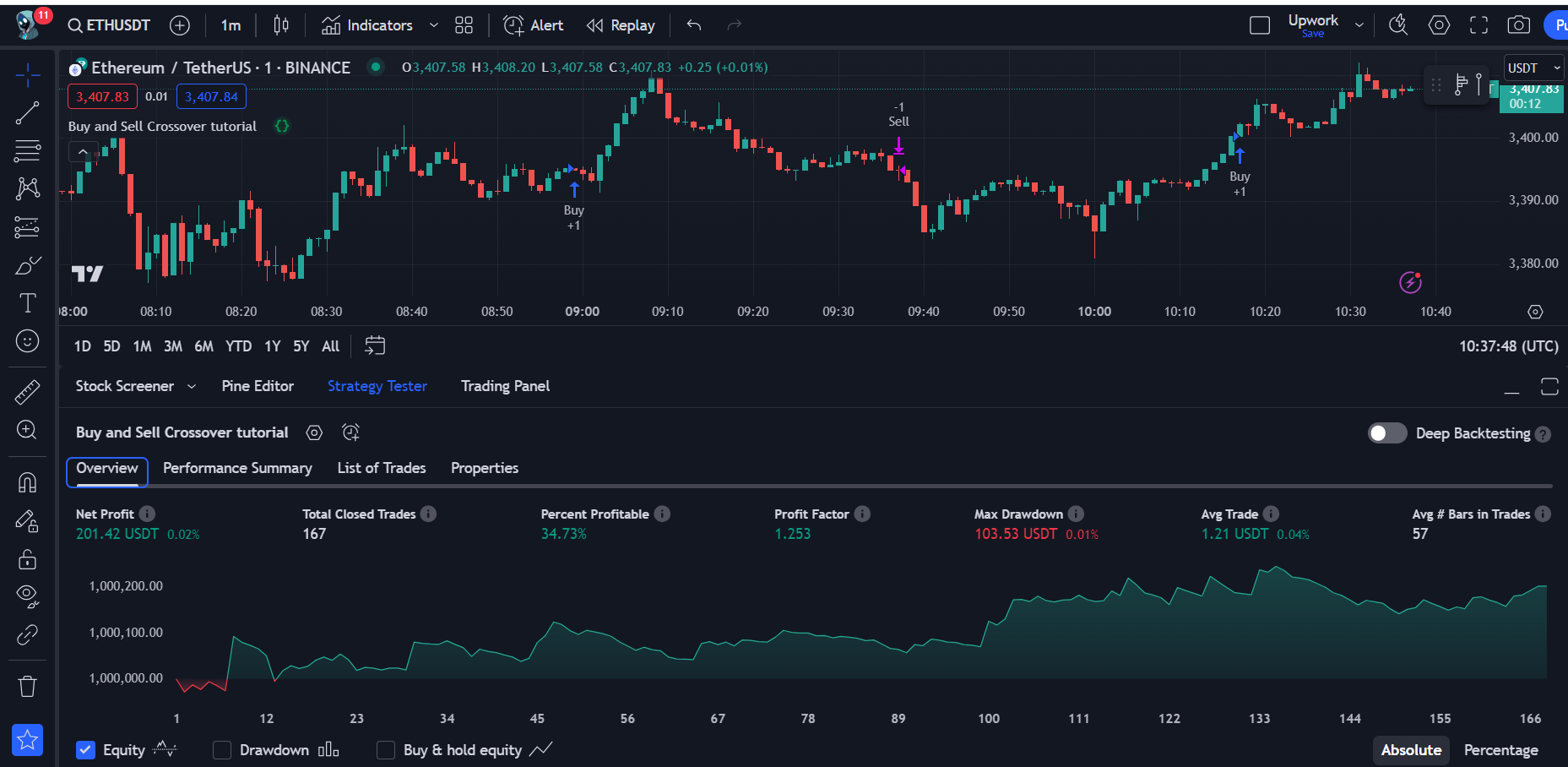
You can now generate the code and paste it into TradingView. Test your trading strategy using TradingView's strategy tester.
If you want to modify the length of your EMA indicators later, you can add Input Nodes for that purpose.
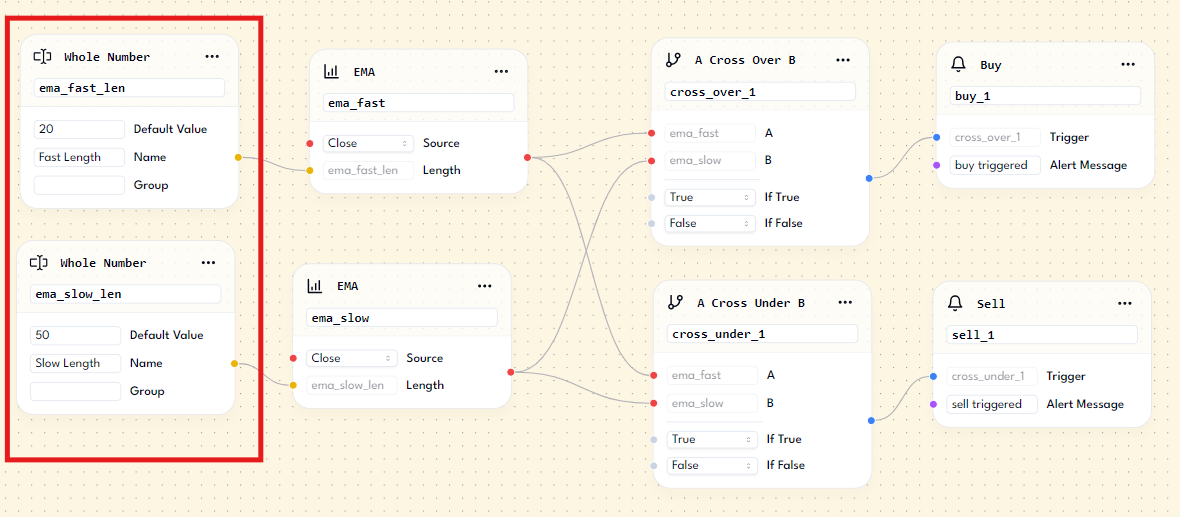
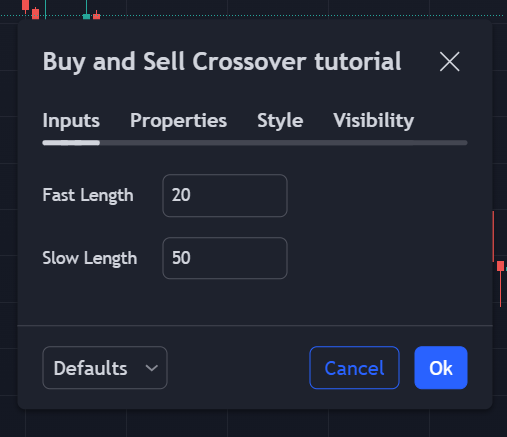
By adding these input fields, you can adjust the EMA indicators' length without generating a new script. If you're satisfied with the code and the results, you can save the script for future editing.
Summary
In this lesson, you learned how to create your first strategy script using the Script Builder. You built trading rules and used various nodes such as EMA, Cross Over, Cross Under, Buy, and Sell nodes. You are now ready to convert your trading ideas into trading scripts.
In the next lesson, you will learn how to create an alert to receive notifications every time there's a buy or sell signal.