Sending Alerts
Creating an Alert
You can send alerts to your email or phone number. By doing this, you'll be notified every time an alert is triggered. In this example, we'll use the strategy script from the previous lesson.
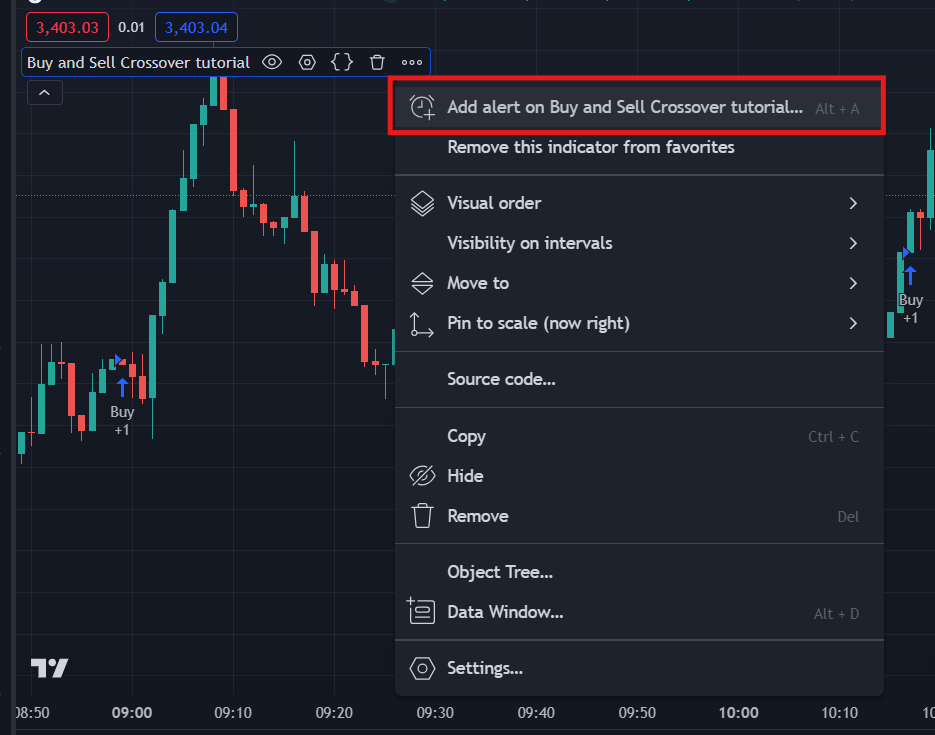
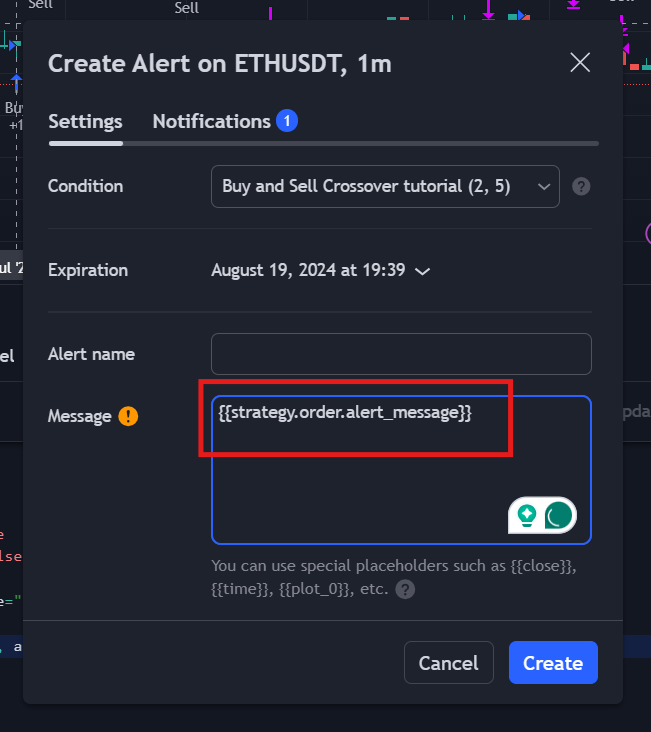
A popup will appear. Modify the message box if the script type is Strategy (ignore this message box if the script type is Indicator). Paste the following text: {{strategy.order.alert_message}}. This will use the alert messages from the buy and sell signal nodes that we used earlier, which are: buy triggered and sell triggered.
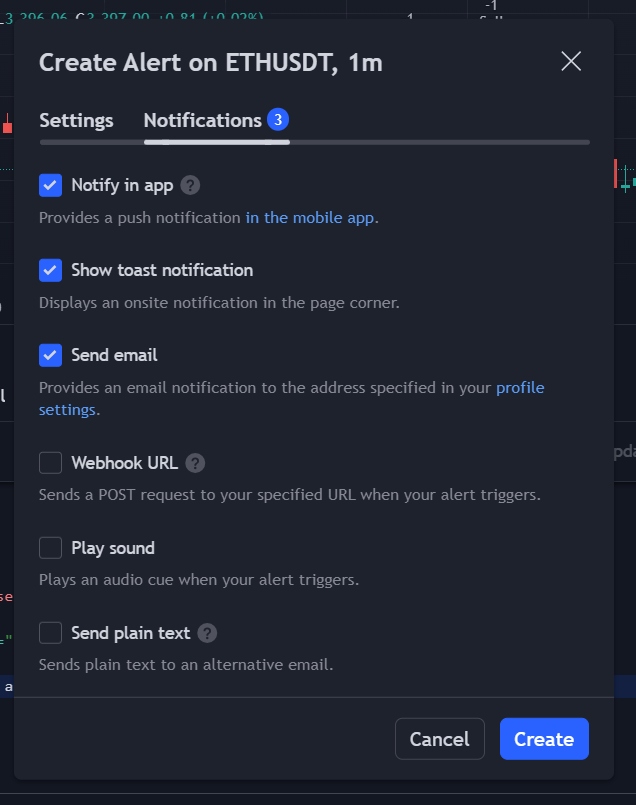
After updating the message, go to the Notifications tab. Check all the options you want to enable, then click "Create."
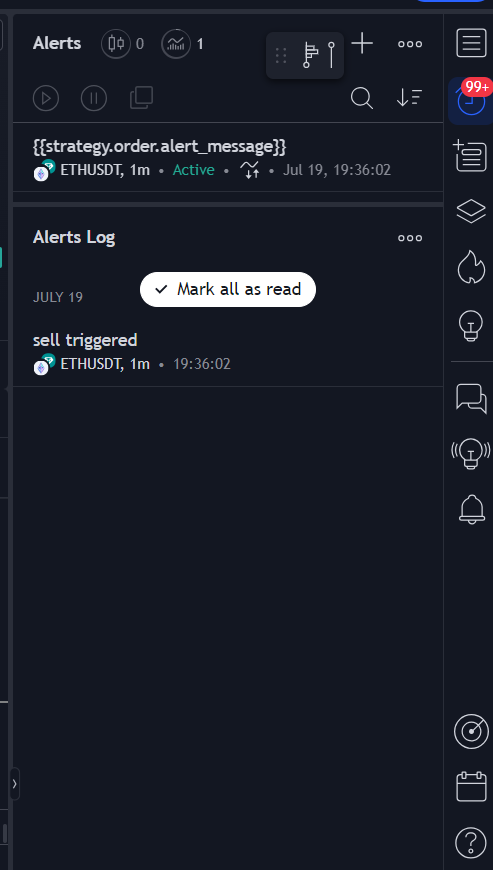
Once created, the alert should appear on the alerts sidebar. It's helpful to name the alert so you can track it easily.
If you want to use other types of alerts, you can check the Signal Category in the Nodes sidebar.
Summary
In this lesson, we created an alert using the strategy script from the previous lesson. Setting up an alert is straightforward; you just need to use TradingView alerts to notify you of buy or sell signals.